POOLMOUILLAY · NOCKCHAIN

NOCK Pool

Un panel para la minería fusionada, el mercado NOCK y tu cartera.

Pool fee: 0.5%

Seguimiento de cartera

PPLNS · 0.5% pool fee · Minimum payout: 50 NOCK · Daily payments (00:00 UTC).

Busca una dirección NOCK nativa para ver la minería fusionada.

Introduce una dirección NOCK para empezar.

Panel

Loading verified NOCK pool statistics…

EN VIVO
Hashrate máximo del pool · 24 h
Cargando…
Pico estimado en 15 min · últimas 24 h
Máximo de mineros activos · 24 h
Cargando…
Máximo de carteras activas simultáneas · últimas 24 h
Shares aceptadas
Cargando…
Verificadas por el motor de pruebas NOCK

Conectar

Usa la misma identidad Stratum de PEARL con tu cartera NOCK nativa.

PRL_ADDRESS+NOCK_ADDRESS.WORKER

NOCK blockchain

Estado en vivo del nodo NOCK.

COMPROBANDO
Altura local validada
—
Comprobando nodo…
Último bloque de la red
—
Último bloque conocido
Conexiones
—
Conexiones con pares
Dificultad
—
Valor actual de la red

NOCK Explorer preview

Abre NockScan para explorar la red NOCK.

Abrir por separado ↗

Mineros Mouillay

Nuestro software de minería. Elige tu plataforma y tu propia cartera de pago.

GPU · v1.16

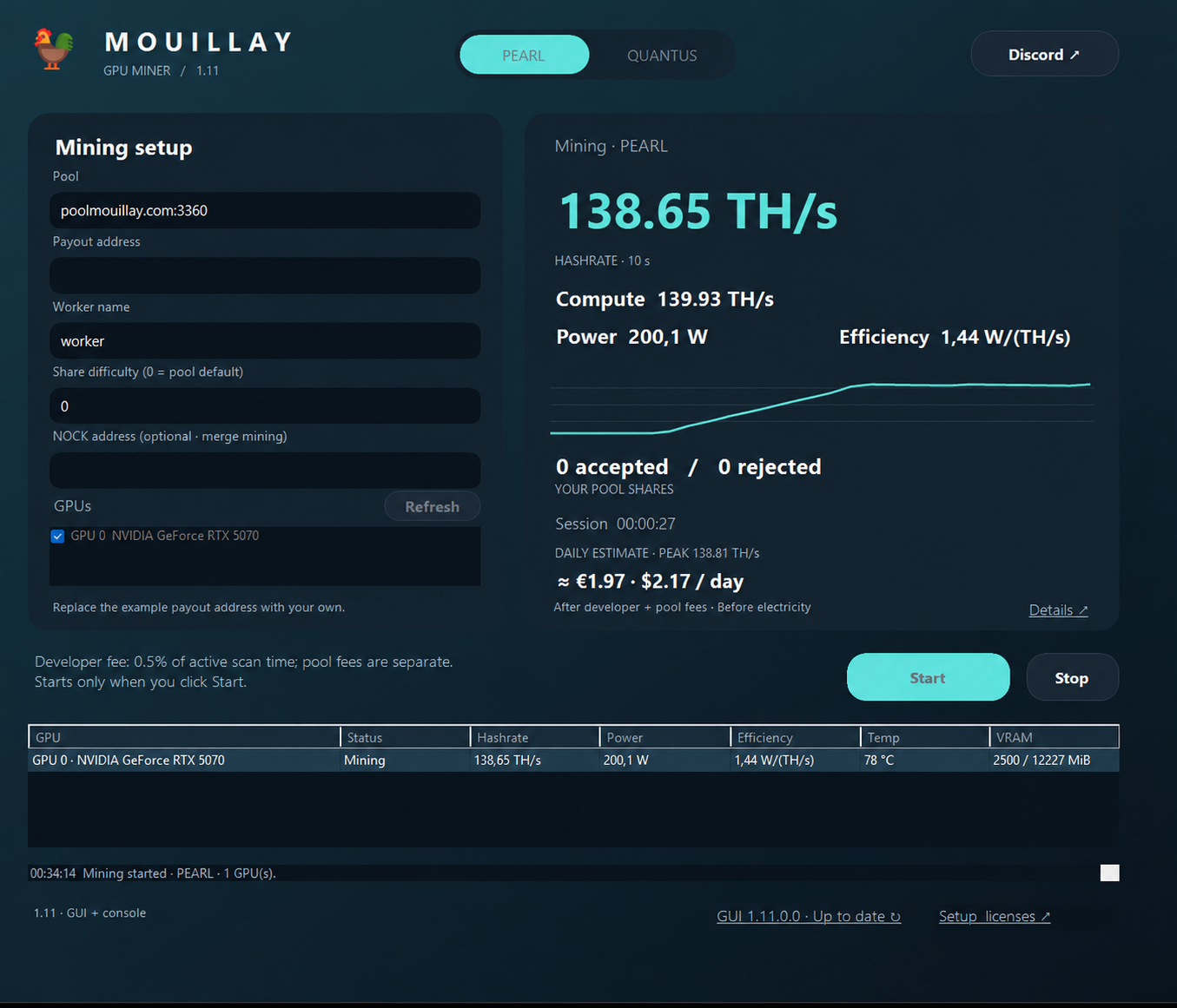
Mouillay GPU Miner

Mouillay GPU Miner

PEARL, QUANTUS and Parano1d on Windows. GUI, console and BAT included. PEARL, QUANTUS and Parano1d are also available on Linux and Docker.

Compatible con NVIDIA RTX 3000, RTX 4000 y RTX 5000

Also architecture-compatible: RTX A-series (Ampere), RTX Ada Generation, RTX PRO Blackwell, A2 / A10 / A16 / A40 and L4 / L40 / L40S.

Descargar Windows 1.16 ↓Descargar Linux 1.16 ↓Docker 1.16 ↓Guía y versiones →Guía de configuración ↓

Windows GUI 1.16 · Linux and Docker 1.14.

Guía técnica de configuración (en inglés)

Configure Mouillay GPU Miner

PEARL + NOCK merge mining · Windows · NVIDIA GPU

  1. Download the release ZIP from Guide & releases → and extract it. Keep MouillayMiner.exe and START_MINER.bat in the same writable folder.
  2. Right-click START_MINER.bat, choose Edit, and select PEARL and update your pool and payout address:
set "ALGORITHM=PEARL"
set "PEARL_POOL=poolmouillay.com:3360"
set "PEARL_WALLET_WORKER=YOUR_PEARL_ADDRESS+YOUR_NOCK_ADDRESS.rig1"

Keep the + between your PEARL and NOCK addresses and the dot before the worker name. Use both of your own payout addresses. In Wallet tracker above, enter your NOCK address only.

An accepted PEARL share does not automatically earn a NOCK block reward. NOCK proofs are verified separately; balances are credited when the pool earns rewards.

  1. Save the launcher, then double-click START_MINER.bat. Check the terminal for accepted shares.
  2. Search your wallet in the tracker to view your workers, estimated hashrate and balances. Each GPU receives a -gpuN worker suffix automatically.

Replace the prefilled maintainer wallet before mining. A compatible NVIDIA driver is required; Python and the CUDA Toolkit do not need to be installed separately.

Miner developer fee: 0.5% on poolmouillay.com, 1% on other pools. The pool's separate 0.5% fee also applies. Press P to pause/resume or Ctrl+C to stop.