POOLMOUILLAY · NOCKCHAIN

NOCK Pool

Un tableau de bord pour le merge mining, le marché NOCK et l’activité de votre wallet.

Pool fee: 0.5%

Suivi du wallet

PPLNS · 0.5% pool fee · Minimum payout: 50 NOCK · Daily payments (00:00 UTC).

Recherchez une adresse NOCK native pour suivre le merge mining.

Saisissez une adresse NOCK pour commencer le suivi.

Tableau de bord

Loading verified NOCK pool statistics…

EN DIRECT
Hashrate maximum du pool · 24 h
Chargement…
Pic estimé sur 15 min · dernières 24 h
Maximum de mineurs actifs · 24 h
Chargement…
Maximum de wallets actifs simultanément · dernières 24 h
Shares acceptées
Chargement…
Vérifiées par le moteur de preuves NOCK

Connexion

Utilisez la même identité Stratum PEARL avec votre wallet NOCK natif.

PRL_ADDRESS+NOCK_ADDRESS.WORKER

NOCK blockchain

État en direct du nœud NOCK.

VÉRIFICATION
Hauteur locale validée
—
Vérification du nœud…
Sommet du réseau
—
Sommet du réseau connu
Connexions
—
Connexions aux pairs
Difficulté
—
Valeur actuelle du réseau

NOCK Explorer preview

Ouvrez NockScan pour explorer le réseau NOCK.

Ouvrir séparément ↗

Mineurs Mouillay

Nos logiciels de minage. Choisissez votre plateforme et votre propre wallet de paiement.

GPU · v1.16

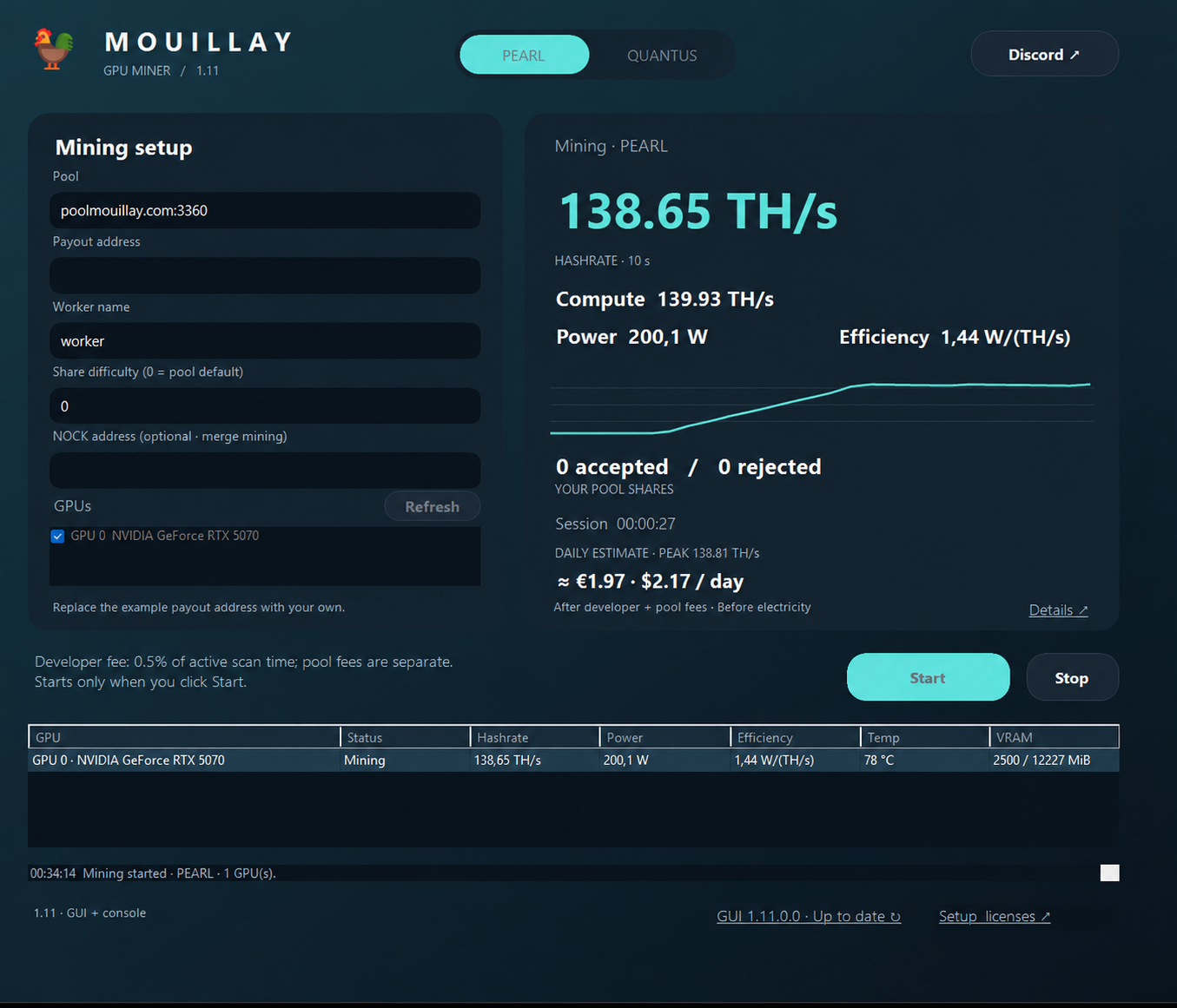
Mouillay GPU Miner

Mouillay GPU Miner

PEARL, QUANTUS and Parano1d on Windows. GUI, console and BAT included. PEARL, QUANTUS and Parano1d are also available on Linux and Docker.

NVIDIA RTX 3000, RTX 4000 et RTX 5000 prises en charge

Also architecture-compatible: RTX A-series (Ampere), RTX Ada Generation, RTX PRO Blackwell, A2 / A10 / A16 / A40 and L4 / L40 / L40S.

Télécharger Windows 1.16 ↓Télécharger Linux 1.16 ↓Docker 1.16 ↓Guide et versions →Guide de configuration ↓

Windows GUI 1.16 · Linux and Docker 1.14.

Guide technique de configuration (en anglais)

Configure Mouillay GPU Miner

PEARL + NOCK merge mining · Windows · NVIDIA GPU

  1. Download the release ZIP from Guide & releases → and extract it. Keep MouillayMiner.exe and START_MINER.bat in the same writable folder.
  2. Right-click START_MINER.bat, choose Edit, and select PEARL and update your pool and payout address:
set "ALGORITHM=PEARL"
set "PEARL_POOL=poolmouillay.com:3360"
set "PEARL_WALLET_WORKER=YOUR_PEARL_ADDRESS+YOUR_NOCK_ADDRESS.rig1"

Keep the + between your PEARL and NOCK addresses and the dot before the worker name. Use both of your own payout addresses. In Wallet tracker above, enter your NOCK address only.

An accepted PEARL share does not automatically earn a NOCK block reward. NOCK proofs are verified separately; balances are credited when the pool earns rewards.

  1. Save the launcher, then double-click START_MINER.bat. Check the terminal for accepted shares.
  2. Search your wallet in the tracker to view your workers, estimated hashrate and balances. Each GPU receives a -gpuN worker suffix automatically.

Replace the prefilled maintainer wallet before mining. A compatible NVIDIA driver is required; Python and the CUDA Toolkit do not need to be installed separately.

Miner developer fee: 0.5% on poolmouillay.com, 1% on other pools. The pool's separate 0.5% fee also applies. Press P to pause/resume or Ctrl+C to stop.